

Monthly Website Maintenance Checklist for Speed & Security
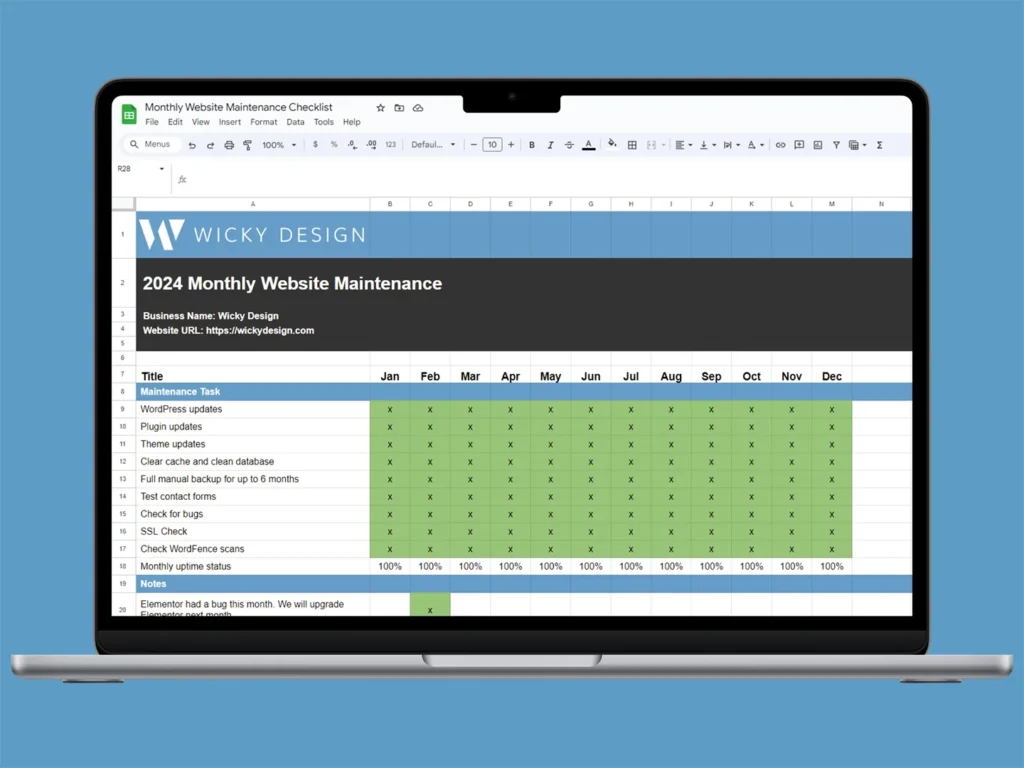
Maintaining a healthy WordPress website doesn’t need to be overwhelming. With a simple monthly website maintenance checklist, you can keep your site secure, fast, and error-free with just a few minutes of work each week.
Whether you’re a beginner or a pro, following a regular maintenance routine can prevent costly issues and keep your website performing at its best.
Why Monthly Maintenance is Essential
Neglecting maintenance can lead to:
- Website hacks or malware
- Broken pages or features
- Poor performance and slow load times
- Decreased SEO rankings
Avoid these problems by making website maintenance a habit. Let’s walk through the essential steps you should follow every month.
our Monthly Website Maintenance Checklist
1. Backup Your Website
- Make sure automated backups are enabled (daily or weekly).
- Store at least one off-site backup (like Google Drive or Dropbox).
- Test your backup restoration process every few months.
📌 Recommended Plugin: UpdraftPlus, BlogVault, Jetpack Backup
2. Update WordPress Core, Plugins & Themes
- Check for updates every 1–2 weeks.
- Ensure plugin and theme compatibility before updating.
- Use a staging site to test critical updates.
📌 Tip: Enable auto-updates for minor plugins but manually review major ones.
3. Review Website Speed & Performance
- Run speed tests via Google PageSpeed Insights, GTmetrix, or Pingdom.
- Optimize large images using Smush or ShortPixel.
- Clear website cache and enable lazy loading.
📌 Goal : Keep load time under 3 seconds.
4. Scan for Malware & Vulnerabilities
- Run a full malware scan using security plugins.
- Monitor user activity logs for suspicious login attempts.
- Enable firewalls and brute-force protection.
📌 Top Tools: Wordfence, Sucuri, iThemes Security
5. Test Contact Forms and Checkout
- Submit test messages through contact forms.
- Check if popups, CTA buttons, and email subscriptions work.
- For eCommerce: test cart, checkout, and payment gateways.
📌 Tip : Check if confirmation and notification emails are being sent correctly.
6. Fix Broken Links
- Use a plugin or tool like Broken Link Checker or Ahrefs.
- Update or remove outdated internal and external links.
- Check for 404 errors in Google Search Console.
📌 SEO Boost: Fixing broken links improves crawlability and UX.
7. Clean Up Your WordPress Database
- Delete spam comments, post revisions, and trash items.
- Optimize database tables with plugins like WP-Optimize.
- Remove unused media files and inactive plugins/themes.
📌 Result: A lighter, faster database for improved site performance.
8. Review Google Search Console
- Check for indexing issues or crawl errors.
- Resolve mobile usability warnings.
- Track keyword performance and impressions.
📌 Bonus Tip: Link Google Search Console with Google Analytics for better insights.
Final Tips
- Schedule a monthly reminder to perform these tasks.
- Consider using a WordPress maintenance service if you’re short on time.
- Bookmark this post and use it as your monthly maintenance guide.
Pingback: How Website Speed Affects Google Rankings - WP Care