
Complete Guide to Protect Your Website from Hackers
WordPress is the most popular content management system in the world. Because of this popularity, it is often targeted by hackers. Therefore, WordPress security is extremely important for every website owner.
In this guide, you will learn what WordPress security is, why it matters, and how to protect your site using simple and effective methods.
Why WordPress Security Is Important
A secure WordPress website protects both your data and your visitors. Without proper security, your site may face serious problems.
For example, a hacked website can cause:
- Data theft
- Website downtime
- Google blacklisting
- Loss of SEO rankings
- Loss of user trust
As a result, even small blogs and business websites should take security seriously.
👉 You can also improve site performance by following our guide on
WordPress Speed Optimization
Common WordPress Security Threats
Understanding common threats helps you prevent attacks more easily.
1. Brute Force Attacks
Hackers try thousands of username and password combinations. Therefore, weak passwords are very dangerous.
2. Malware Infections
Malware often enters through outdated plugins or nulled themes. As a result, your website may redirect users or show spam.
3. Outdated Plugins and Themes
Old software versions contain known security flaws. Because of this, updates are critical.
4. SQL Injection and XSS Attacks
These attacks target your database and forms. However, proper validation and security plugins can stop them.
Best Practices for WordPress Security
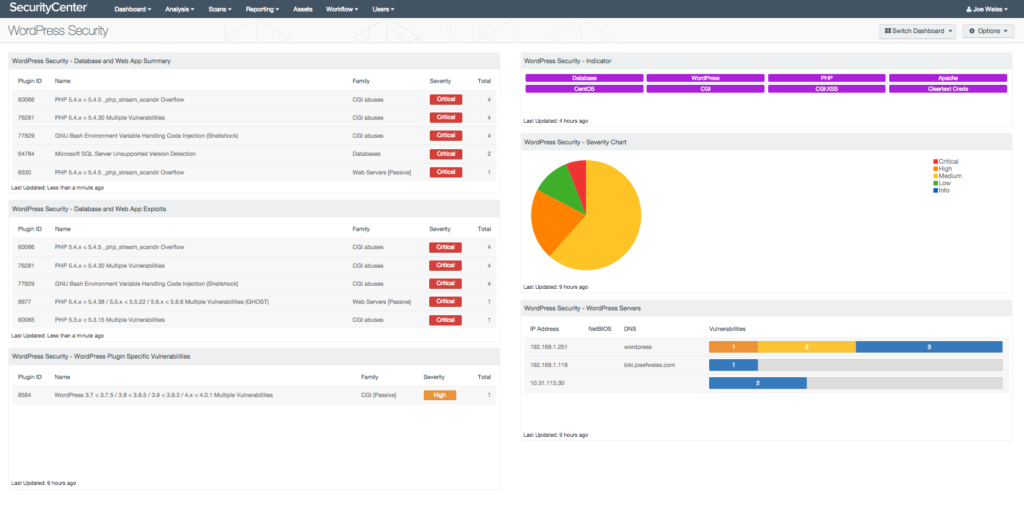
Use Strong Login Credentials
First of all, avoid using “admin” as your username. Instead, use a unique username and a strong password. Additionally, enable Two-Factor Authentication (2FA).
Keep WordPress Updated
Always update:
- WordPress core
- Themes
- Plugins
Updates fix security issues and improve performance.
Install a WordPress Security Plugin
Security plugins add an extra layer of protection. Popular options include:
- Wordfence
- iThemes Security
- Sucuri
You can also read the official WordPress security guide here:
https://wordpress.org/documentation/article/hardening-wordpress/
Advanced WordPress Security Tips
Moreover, you can strengthen security by:
- Limiting login attempts
- Changing the default login URL
- Disabling file editing in
wp-config.php - Scheduling automatic backups
For backup strategies, check our article on
How to Backup a WordPress Website
How WordPress Security Helps SEO
Google prefers safe websites. Therefore, a secure WordPress site:
- Avoids malware warnings
- Loads faster
- Keeps bounce rate low
- Builds trust with users
In other words, better security leads to better SEO rankings.
Final Thoughts
WordPress security is not a one-time setup. Instead, it is an ongoing process. By using security plugins, keeping everything updated, and following best practices, you can protect your website from most threats.
If you care about your website’s growth, SEO, and credibility, investing in WordPress security is essential.
I have been playing here for a few weeks and the experience is really smooth. The slot games load fast and the customer support team is super helpful whenever I have a question. Totally recommend this spot for anyone looking for a reliable gaming platform. idpp7slot
I really like the layout of this site and how intuitive it is for new players. I had a blast playing on br5542bet last weekend.
I love the VIP treatment and the exclusive rewards for loyal players. It really makes me feel valued as a user. Join rpvip5y for the best perks.
I just installed the app and the loading speed is impressive. Everything feels smooth and the games are top notch. Definitely check out topslot88apk if you want a seamless experience.
Finally a site that doesn’t lag during peak hours. The gameplay is fluid and the rewards are fair. Highly recommend phjiliph6 to everyone.
Just downloaded the app and it is incredibly intuitive. No lag at all during my sessions today. Highly recommend it to everyone! 099betappapk
Absolutely loving the gameplay here. The graphics are sharp and the winning streaks are real. Join krevoplay
Such a colorful and exciting app. I was surprised by how easy it is to win small prizes early on. Give joya9gemsapp a try if you enjoy gem themed games.
Finally found a site that doesn’t lag during the big wins. The interface is very user friendly and easy to navigate. Highly recommend pin777login to everyone.
I’ve tried a few sites lately but this one is actually smooth. The payouts are fast and the interface is very user friendly. Highly recommend phjili4 for anyone looking for a reliable spot.
I’ve been trying a few sites lately and this one is actually smooth. The payouts are fast and the interface is easy to navigate. Definitely check out phwin25ph if you want a hassle-free experience.