WordPress Theme Development: A Complete Guide to Custom WordPress Themes
Choosing a WordPress theme is one of the first decisions you make when building a website. There are thousands of ready-made themes available, but they do not always give you the design, features, or flexibility your website needs. This is where WordPress theme development becomes useful.
A custom theme gives you more control over how a website looks and works. Instead of changing your business around an existing theme, you can build the theme around your actual requirements.If you are planning a new website, WordPress Website Development can help you create a site around your business goals and requirements.
In this guide, we will look at what WordPress theme development means, how the process works, when a custom theme makes sense, and what you should consider before starting a project.
What Is WordPress Theme Development?
WordPress theme development is the process of creating or modifying the files that control the appearance and layout of a WordPress website.
A theme controls things such as:
- Page layouts
- Fonts and typography
- Colors and spacing
- Header and footer
- Blog layouts
- Navigation menus
- Buttons and other design elements
- Responsive behavior on mobile devices
- Templates for different types of content
A WordPress theme is more than just a visual design. It also determines how different parts of the website are presented to visitors.
For example, a business website may need a custom homepage, service pages, team section, testimonials, blog, contact page, and specific calls to action. A suitable custom theme can be structured around these requirements instead of forcing everything into a per-designed layout.
Custom WordPress Themes vs. Ready-Made Themes
A ready-made theme can be a good option for someone who wants to launch a simple website quickly. Many themes include pre-built layouts and customization options.
However, ready-made themes can become limiting when a website has specific requirements.
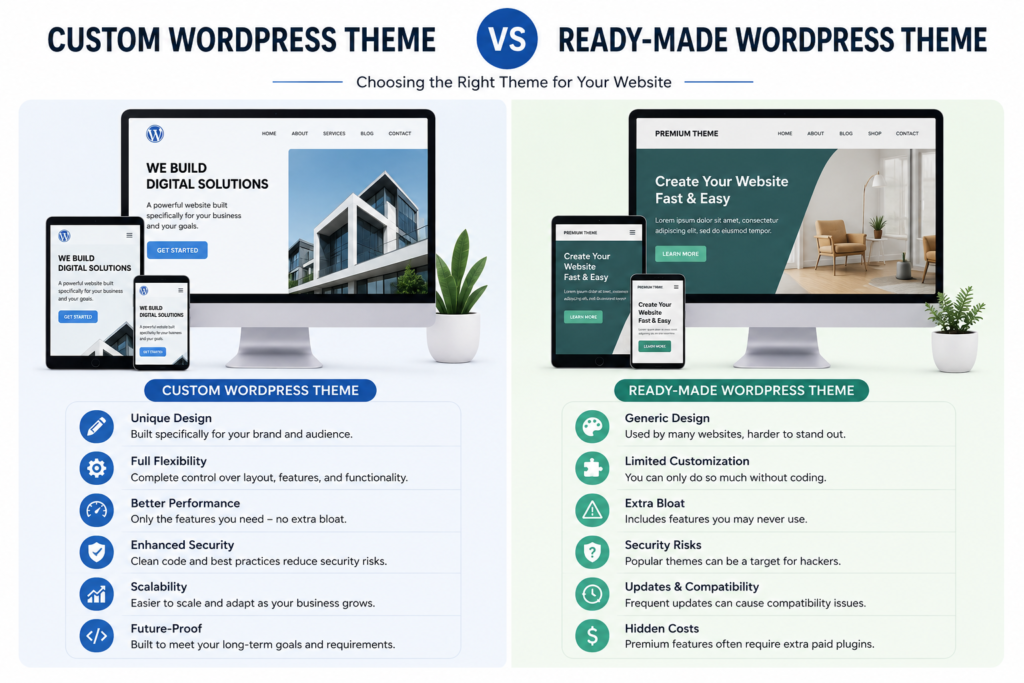
With a custom WordPress theme, you have greater control over the website’s structure and design.
Ready-Made Themes
They can be useful when:
- You need a website quickly.
- Your design requirements are fairly simple.
- You want to keep the initial development cost lower.
- The theme already includes the features you need.
The downside is that you may end up with features you never use or spend time trying to change parts of the design that the theme does not easily allow you to modify.
Custom WordPress Themes
Custom themes are better suited to websites that need a unique design or specific functionality.
They allow developers to create:
- Unique page layouts
- Custom templates
- Tailored navigation
- Brand-specific design elements
- Cleaner website structures
- Custom content sections
The goal is not simply to make a website look different. A good custom theme should also make the website easier to manage and provide a better experience for visitors.
How Does WordPress Theme Development Work?
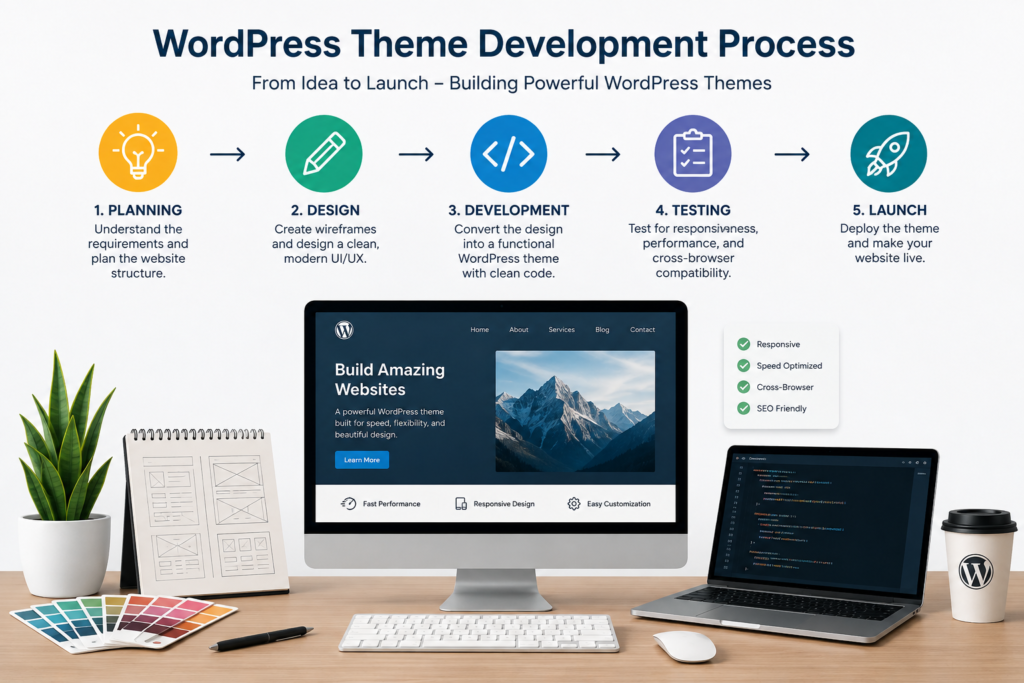
The development process can vary depending on the project, but a typical workflow includes several important stages.
1. Understanding the Website Requirements
Before writing code, the developer needs to understand what the website is supposed to do.
This includes looking at:
- The type of business
- Target audience
- Required pages
- Website features
- Content structure
- Design preferences
- Mobile requirements
- Future maintenance needs
This stage is important because it prevents unnecessary development later.
2. Planning the Website Structure
Once the requirements are clear, the website structure can be planned.
For example, a small business website might have:
Home → About → Services → Blog → Contact
An online store will have a different structure because it needs product pages, categories, checkout, account pages, and other elements.
Planning the structure early makes development much more organized.
3. Creating the Design
The visual design is then created around the brand and the website’s purpose.
Important elements include:
- Typography
- Color usage
- Buttons
- Images
- Spacing
- Navigation
- Content sections
- Calls to action
A professional design should not only look good. It should also make it easy for visitors to find information and take the next step.
4. Developing the Theme
The approved design is then turned into a working WordPress theme.
Depending on the project, development may involve technologies such as:
- HTML
- CSS
- JavaScript
- PHP
- WordPress functions
- WordPress template files
The developer connects the design with WordPress so that the website owner can manage content through the WordPress dashboard. Developers can also use WordPress Developer Resources when working with WordPress functions and development standards.
5. Making the Theme Responsive
A website needs to work properly on different screen sizes.
A layout that looks good on a desktop can become difficult to use on a phone if it is not designed correctly.
Responsive theme development considers:
- Mobile navigation
- Flexible layouts
- Readable text
- Image sizing
- Button spacing
- Tablet layouts
- Different desktop screen sizes
Testing the website on different devices helps identify problems before the site goes live.
Why Performance Matters in Theme Development
Website speed should be considered during development rather than treated as an afterthought. For websites that need better performance, WordPress Optimization can help identify and address issues affecting loading speed and overall performance.
A theme with unnecessary code, large assets, or poorly implemented features can affect loading performance.
A well-built theme should avoid adding unnecessary resources and should load the assets required for each page efficiently.
Performance can also be affected by other parts of a WordPress website, including hosting, plugins, images, caching, and third-party scripts.
For that reason, theme development is only one part of creating a fast WordPress website. The complete setup needs to work together.
WordPress Theme Security
Security is another important consideration when developing a custom theme. Following WordPress Coding Standards can also help developers keep theme code consistent and maintainable.
A theme should follow WordPress coding practices and avoid unsafe handling of user input and website data.
Developers should pay attention to areas such as:
- Data validation
- Input sanitization
- Output escaping
- Secure use of WordPress functions
- Proper user permissions
- Keeping WordPress and related software updated
A custom theme should also avoid unnecessary functionality that could create additional maintenance or security concerns.
For developers, the WordPress Theme Handbook is a useful official resource for understanding WordPress theme development standards and concepts.
SEO and WordPress Theme Development
A theme does not automatically make a website rank higher in search engines. However, the theme can affect several technical and usability factors that matter for a website.
A well-structured theme should support:
- Clear page structure
- Proper heading hierarchy
- Mobile-friendly layouts
- Fast-loading pages
- Accessible navigation
- Clean HTML
- Descriptive content areas
- Proper image handling
SEO also depends on content, technical configuration, links, website authority, and many other factors.
If your website uses an SEO plugin such as AIOSEO, the theme and SEO setup should work together rather than relying on the theme alone.
When Should You Choose a Custom WordPress Theme?
A custom theme is not necessary for every website.
It may be worth considering when:
- Your business needs a unique website design.
- Existing themes cannot provide the required layout.
- You need custom templates.
- Your website has specific functionality.
- You want greater control over the site’s structure.
- You are building a website around a strong brand identity.
- You expect the website to grow over time.
For a simple personal website or small project, an existing well-maintained theme may be enough.
The right choice depends on the website’s requirements, budget, and long-term goals.
What Makes a Good Custom WordPress Theme?
A good theme should balance design, functionality, performance, and maintainability.
Here are some important qualities to look for:
Clean and Organized Code
The theme should be structured in a way that makes future changes easier.
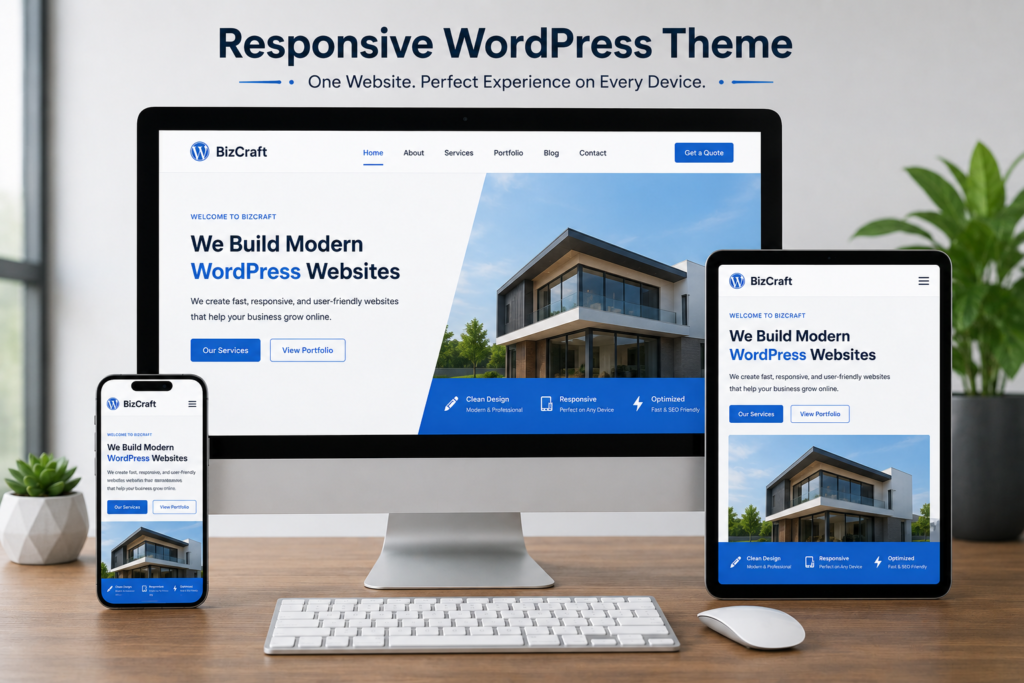
Responsive Design
The website should provide a good experience on mobile, tablet, and desktop devices.
Good Performance
Unnecessary scripts, styles, and features should be avoided where possible.
Secure Development
The theme should follow WordPress development and security best practices.
Easy Content Management
Website owners should be able to update their content without needing to edit code for every small change.
Room for Growth
A theme should not make future improvements unnecessarily difficult.
After launch, regular WordPress Website Maintenance can help keep the website secure, updated, and working properly.
Final Thoughts
WordPress theme development gives businesses more control over how their websites look, work, and grow. While a ready-made theme can be a practical choice for some projects, a custom theme can provide a better fit when a website has specific design or functionality requirements.
The most important thing is not simply creating a unique-looking website. The theme should be responsive, secure, easy to maintain, and built around the needs of the people who will use the website.
If you are planning a new WordPress website or want to improve an existing one, explore our WordPress services to find the right solution for your business requirements. Get in touch with WP Care to discuss your WordPress website project.