WordPress Plugin Development: How to Build Custom Plugins for Your Website
WordPress is flexible enough to power everything from a simple blog to a large business website. One of the main reasons for that flexibility is its plugin system. When an existing plugin does not provide the features a website needs, developers can create a custom solution through WordPress plugin development.
A custom plugin can add a specific feature without forcing the entire website to use a theme or plugin that includes unnecessary functions. This can be useful for businesses with unique requirements, custom workflows, or features that are not available in standard WordPress plugins.
In this guide, we will explain what custom WordPress plugins are, how plugin development works, when a custom plugin is worth considering, and what developers should keep in mind when building one.
What Is WordPress Plugin Development?
WordPress plugin development is the process of creating software that extends the functionality of a WordPress website.
A plugin can add a small feature or manage a larger system. For example, a plugin might add a custom contact form, connect a website to another service, create a custom dashboard, or handle a specific type of content in WordPress plugin development.
Plugins are useful because they keep additional functionality separate from the website’s theme.
This separation is important. If a feature is added directly to a theme, changing the theme later can cause the feature to disappear or require additional development work. A properly developed plugin can continue working independently of the site’s visual design.
Why Use a Custom WordPress Plugin?
There are thousands of WordPress plugins available, so it is usually worth checking existing solutions before developing something from scratch.
However, an existing plugin may not always be the right answer.
A custom plugin can make sense when:
- Existing plugins do not provide the required functionality.
- A plugin has too many unnecessary features.
- You need a specific business workflow.
- You need to connect WordPress with another system.
- You want more control over how a feature works.
- An existing plugin cannot be customized in the required way.
- You want a feature that is unique to your business.
For example, a company receives service requests through its WordPress website. In WordPress plugin development, a custom plugin can create a workflow. Additionally, it stores requests, assigns them to staff, updates statuses, and sends notifications.
That is where custom plugin development can provide real value.
How Does WordPress Plugin Development Work?
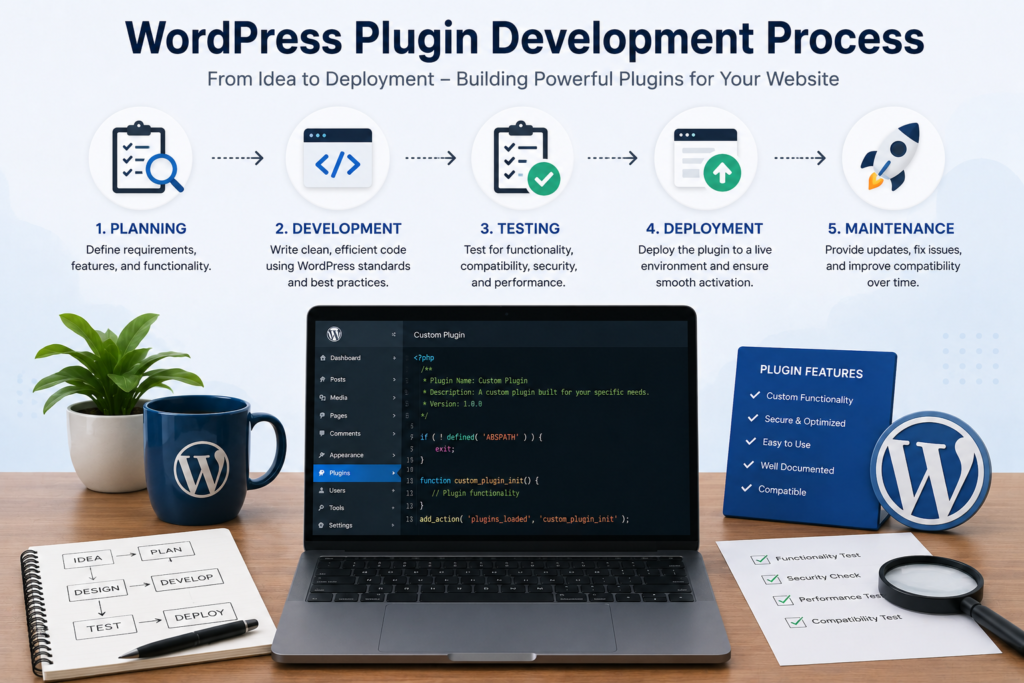
The development process depends on the feature being built, but a good project normally starts with planning rather than coding immediately.
1. Define the Requirement
The first step is to understand exactly what the plugin needs to do.
A developer should identify:
- What problem does the plugin solve?
- Who will use it?
- What information does it need?
- What should happen after a user performs an action?
- Does it need to connect with another service?
- Does it require an admin dashboard?
- What permissions should different users have?
Clear requirements make development easier and reduce unnecessary changes later.
2. Plan the Plugin Structure
Once the requirements are clear, the plugin’s structure can be planned.
A simple plugin might only need a few files. A larger project may contain separate files for administrative functionality, front-end features, database operations, APIs, assets, and other components.
Keeping these parts organized makes the plugin easier to maintain.
3. Build the Core Functionality
WordPress plugins are commonly developed using PHP along with HTML, CSS, JavaScript, and WordPress’s own APIs.
WordPress provides hooks that allow developers to connect custom functionality to different parts of the platform.
These include:
- Actions
- Filters
- Shortcodes
- REST API functionality
- Settings APIs
- Metadata APIs
- Custom post types
Using WordPress’s built-in systems where appropriate can make a plugin easier to integrate with the rest of the website.
The WordPress Plugin Handbook is an official resource that covers many of these development concepts.
Custom Plugins and WordPress Themes
A common question is whether custom functionality should be placed inside a theme or a plugin.
In general, functionality that should remain available when the theme changes is better suited to a plugin.
For example, a custom post type, business workflow, or external API integration may be better handled through a plugin.
On the other hand, features that are directly related to the visual presentation of a particular theme may belong in the theme.
Keeping this distinction in mind can make future website changes much easier.
If you are building the visual side of a WordPress website as well, WordPress Website Development can cover the broader website structure, design, and functionality.
WordPress Plugin Security
Security should be considered from the beginning of plugin development.
A plugin may process user input, store information in the database, display data on the front end, or communicate with external services. Each of these areas needs to be handled carefully.
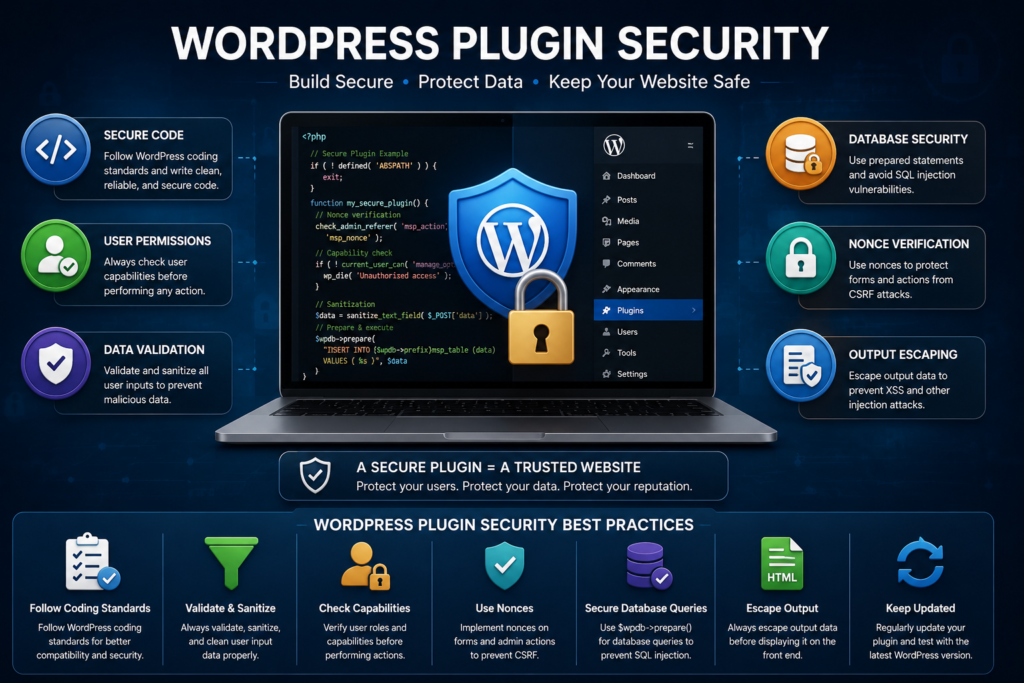
Important security practices include:
- Validate incoming data.
- Sanitize data when appropriate.
- Escape output before displaying it.
- Check user capabilities before allowing sensitive actions.
- Use nonces for appropriate WordPress requests.
- Avoid exposing sensitive information.
- Use prepared database queries where required.
- Follow WordPress security recommendations.
For example, an administrator should be able to access settings that a normal website visitor should never see. Checking user permissions helps prevent unauthorized access to sensitive functionality.
The official WordPress Developer Resources provide documentation for developers working with WordPress APIs and coding practices.
Plugin Performance Matters Too
A plugin should do its job without creating unnecessary performance problems.
Poorly developed plugins can load scripts on pages where they are not needed, perform expensive database queries, or add unnecessary functionality.
During development, it is useful to consider:
- Which pages actually need the plugin’s assets?
- How often does the plugin query the database?
- Can repeated operations be reduced?
- Are scripts and styles loaded only when necessary?
- Does the plugin create unnecessary background processes?
- Can large amounts of data be handled efficiently?
Good plugin development is not simply about making a feature work. It is also about making sure the feature works efficiently.
For websites that already have speed problems, WordPress Optimization can help identify performance issues across the wider website.
Custom Plugin Development vs. Installing Another Plugin
Before developing a custom plugin, it is worth asking whether an existing plugin can solve the problem.
An established plugin may be the better choice when:
- The required feature is common.
- The plugin is actively maintained.
- It has good documentation.
- It receives regular security updates.
- It fits the website’s requirements without unnecessary complexity.
Custom development becomes more attractive when available plugins do not meet the requirements.
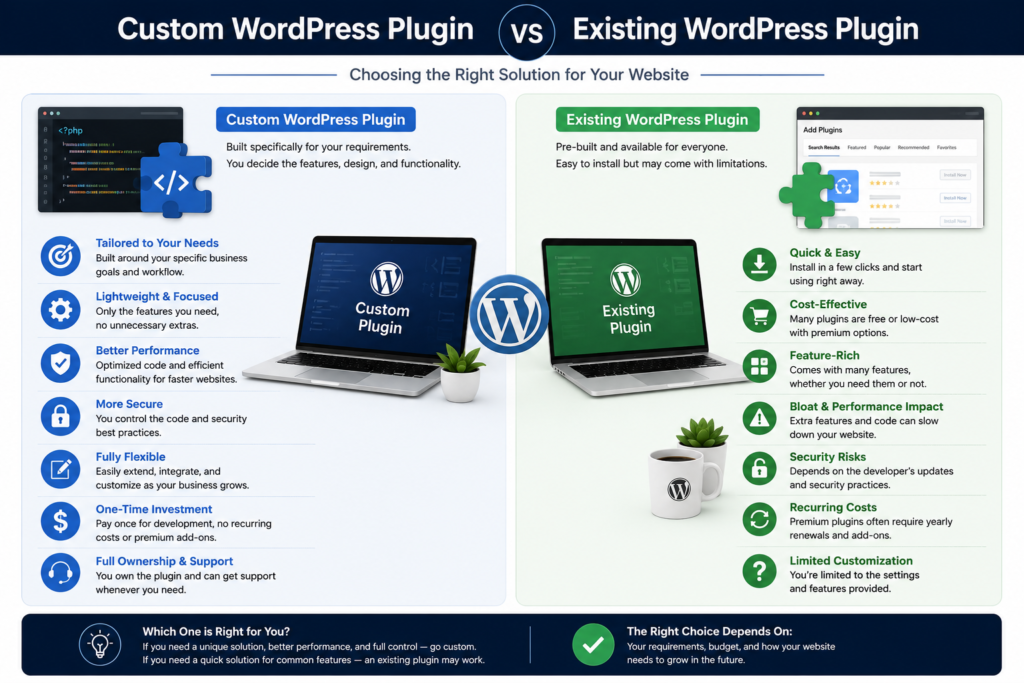
A simple comparison can help:
| Existing Plugin | Custom Plugin |
|---|---|
| Faster to install | Takes development time |
| Usually easier to get started | Built around specific requirements |
| May include extra features | Only required functionality can be included |
| Dependent on the plugin developer | You control the custom code |
| Limited by available settings | Greater flexibility |
There is no single option that is right for every website. The decision should be based on the actual requirement rather than simply choosing custom development because it sounds more advanced.
Testing a Custom WordPress Plugin
Testing should happen before a plugin is used on a live website.
A developer should check the plugin in different situations and make sure it behaves correctly when users enter unexpected information or perform actions in an unusual order.
Testing can include:
- Checking the main functionality.
- Testing different user roles.
- Testing forms and input fields.
- Checking compatibility with the active theme.
- Testing with other important plugins.
- Checking mobile behavior when the plugin has front-end elements.
- Looking for PHP errors and warnings.
- Testing activation and deactivation.
- Checking what happens when the plugin is updated.
A staging website is particularly useful because developers can test changes without putting the live website at unnecessary risk.
Maintaining a Custom WordPress Plugin
Plugin development does not necessarily end when the feature is launched.
WordPress itself continues to receive updates, and websites may also add new plugins, change themes, or move to different hosting environments. A custom plugin may need updates as the website changes.
Regular WordPress Website Maintenance can help keep the wider website updated and monitored.
Maintenance may include checking for errors, reviewing compatibility, testing updates, creating backups, and making improvements when requirements change.
When Should You Consider Custom Plugin Development?
A custom plugin may be a good choice if your website needs functionality that standard plugins cannot provide.
Consider custom development when:
- Your business has a unique process.
- You need a custom dashboard.
- You need an integration with another platform.
- You want to automate repetitive tasks.
- Existing plugins do not provide the required workflow.
- You need complete control over a particular feature.
- Your website needs functionality that is not available through normal plugin settings.
On the other hand, custom development may not be necessary for a simple feature that can be handled safely by a reliable, well-maintained plugin.
The goal should always be to choose the simplest reliable solution for the actual problem.
Final Thoughts
WordPress plugin development gives businesses the flexibility to add functionality that standard plugins may not provide. A custom plugin can be designed around a specific workflow, integrate with other systems, or add features that are unique to a website.
However, custom development should not be about adding code simply for the sake of having a custom solution. Before starting a project, it is important to understand the requirement, consider existing plugins, and plan for security, performance, testing, and future maintenance.
When a website has a genuine need for custom functionality, a well-built plugin can make the WordPress site more flexible and easier to manage.
If your website needs a custom WordPress feature or you are unsure whether an existing plugin is the right solution, WP Care can help you find a practical approach for your website.